Building an Active Defense Perimeter
How I used CSP, Turnstile, and Canary Tokens to gate my portfolio.
Building an Active Defense Perimeter
Passive security controls — firewalls, signature-based filters, static block lists — operate on the assumption that threats are known before they arrive. Active defense inverts that model: instead of waiting for a known-bad signature, it generates telemetry from attacker behavior itself. This writeup documents the layered active defense architecture deployed across this portfolio site, using Cloudflare Turnstile, a hardened Content Security Policy, and Canary Token tripwires to create measurable detection coverage against automated scanning, site cloning, and script injection.
1. Identity Verification (Cloudflare Turnstile)
I’ve noticed a shift in the threat landscape where actors use CAPTCHAs to manipulate users—masking malicious clipboard actions or hiding phishing landing pages from automated scanners.
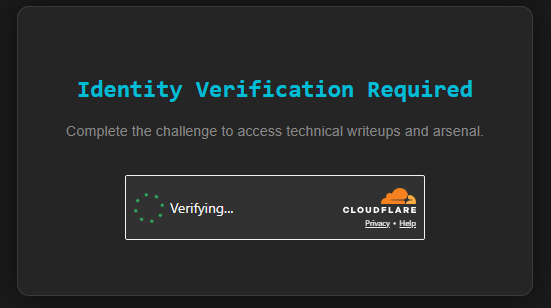
To flip the script, I implemented Cloudflare Turnstile as a non-interactive challenge. It’s a silent telemetry check: if the browser fails to prove it’s human, the main-content div is set to display: none by default. No human interaction required, but the bots get left in the dark.
2. CSP Hardening
A gate is useless if a bot can just inject a script to pick the lock. I used a Content Security Policy (CSP) to enforce a “Strict-First” mentality:
- Block unauthorized inline scripts via strict source whitelisting and cryptographic nonces.
- Enforce Trusted Types for the Turnstile environment to stop DOM-based XSS.
- Restrict frame-src to authorized identity providers only.
3. Canary Tripwires
Canary Tokens address two specific threat scenarios: site cloning (typo-squatting or adversary-in-the-middle proxying) and automated content scraping.
-
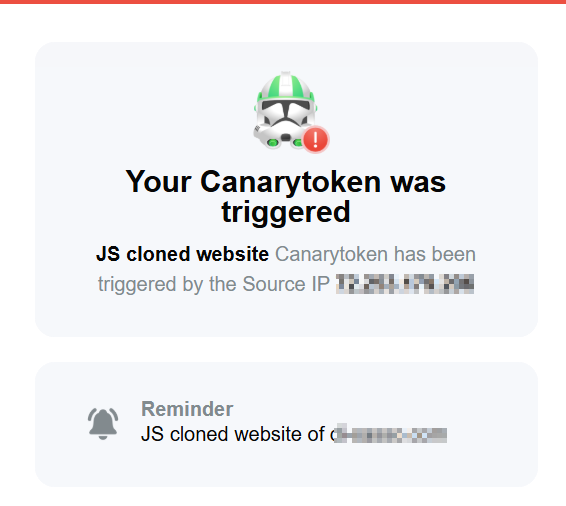
The Cloner’s Trap (Hostname Validation): I planted a hidden script that triggers a beacon if my site is cloned or proxied to an unauthorized domain. If you try to steal my site, my phone pings me before you’ve even finished the git clone.
-
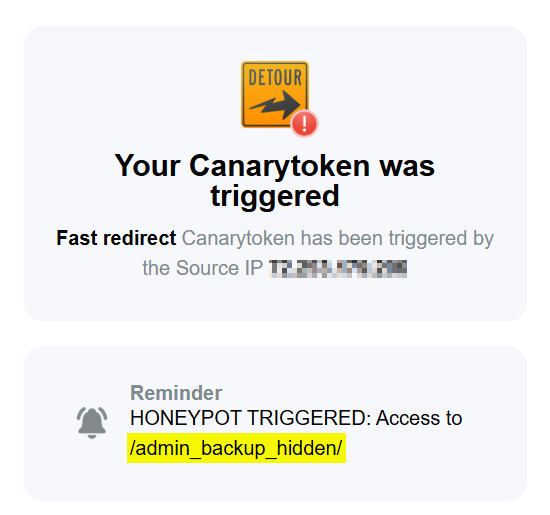
Honeypot Links: I tucked away CSS-hidden links with rel=“nofollow”. These are completely invisible to human users, but to an automated scraper, they look like a juicy data source. Touching these triggers an immediate alert.
- Honeypot Links: I used CSS-hidden links with
rel="nofollow"as tripwires. Any access to these triggers an immediate alert for automated scanning activity.
Technical Deep Dive: Terminal Verification
To confirm this wasn’t just “security theater,” I used curl to inspect the document-level security instructions in real-time.
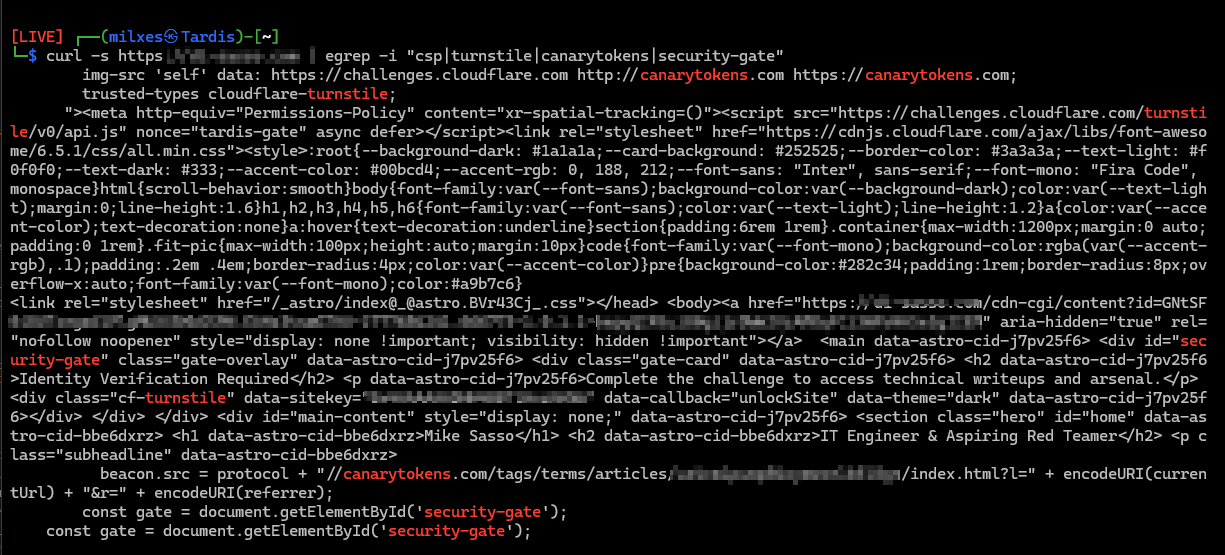
So What Does a Bot See?:
-
Protocol-Level Shielding: Since GitHub Pages doesn’t support custom HTTP headers, I had to get creative. Using http-equiv=“Content-Security-Policy” allows me to enforce the perimeter directly at the document level.
-
Nonce-Based Authorization: You can see the nonce=“tardis-gate” applied to internal scripts. This ensures only my authorized “unlock” logic can run. Anything else? Access Denied.
-
The Invisible Alarm: The terminal reveals the hidden cdn-cgi honeypot link. It’s sitting right there in the source code, waiting for a bot to click it and reveal its location.
Summary
Engineering this perimeter manually surfaced insights that no managed “Bot Fight Mode” toggle would have provided. Each layer — Turnstile’s behavioral challenge, the CSP’s script execution controls, and the Canary tripwires — generates distinct telemetry for distinct threat classes. That separation is what distinguishes active defense from passive security theater.
Passive controls block what is already known. Active defense exposes what is not yet known by letting the attacker’s own behavior generate the signal. A scanner that trips a honeypot link, a bot that fails a Turnstile challenge, and a clone that fires a hostname beacon all produce actionable alerts with zero prior knowledge of the attacker’s tooling or identity. That visibility — generated from attacker action rather than defender assumption — is the core value proposition of layered active defense.